Finding free games that are genuinely appropriate for kids is harder than it should be. Most "kids' games" sites are ad-dense, chat-enabled, or buried under in-app-purchase prompts. The 10 picks below are all free, browser-based, non-violent, and require no account — so kids can play, parents can relax, and nobody installs anything.
We've grouped them by approximate age range, from youngest (4+) to oldest (8+). A good starting pick for most kids is 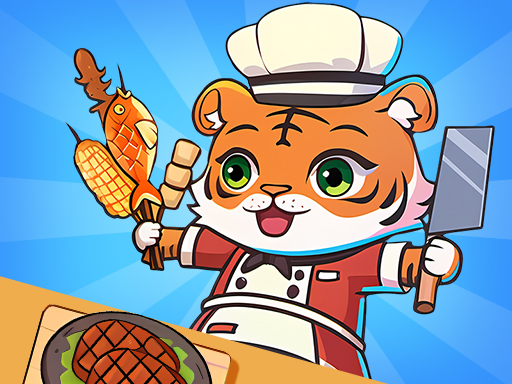 2 Player Games Kids Kitchen — the name's on-brand, and the co-op kitchen mechanics teach turn-taking naturally.
Ages 4+ — Gentle, Colorful, One-Button
1. 2 Player Games Kids Kitchen — Cooperative cooking with split tasks. Teaches teamwork and turn-taking. Works best when two kids play together, but fine solo too.
2. Paint Rush 📱 — Roll a ball through colored zones to fill the screen. Touch-friendly, almost no reading required, satisfying completion loop.
3. Volley Bean — Cute bean characters playing volleyball. Three-key controls per player, cheerful animations, short rounds.
Ages 6+ — Skill-Building and Creative
4. Slicer Duo — ASMR-style cooperative slicing. Rhythm-based, non-competitive. Kids respond to the satisfying audio feedback and the "let's work together" framing.
5. Soccer Duel — 1v1 table-football. Short matches (3 minutes), simple WASD vs Arrow Keys split. Good intro to friendly competition.
6. Obby Highest Jump Ever — Obstacle-course jumper, inspired by the Roblox obby genre kids already know. Pure platforming, no combat.
7. Just Ludo 📱 — The classic family board game, touch-optimized. Great for teaching younger kids about turn-based play and basic strategy.
Ages 8+ — Puzzles and Brain Exercise
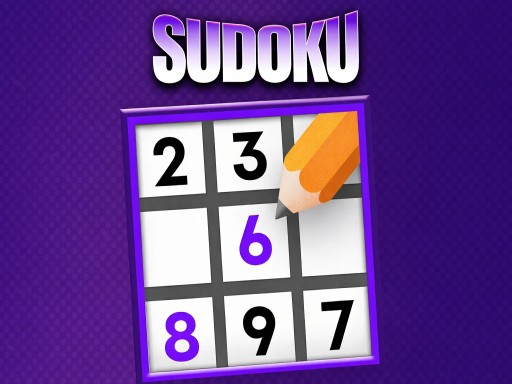
8. Sudoku 📱 — The timeless logic puzzle. Start at "easy" — kids grasp the rules fast, and the difficulty curve is steep enough to stay interesting.
9. Ultimate Yatzy — Turn-based dice classic. Teaches probability thinking naturally. Good family game — kids and adults on equal footing.
10. Jigsolitaire — Jigsaw meets solitaire. Engages pattern-matching and spatial reasoning. Older kids love the hybrid mechanics.
What Makes These "Safe"?
- No chat. None of these games include player-to-player messaging that parents can't supervise.
- No account required. Kids can't accidentally hand over personal info they don't have to share.
- No in-app purchases. The games are fully playable for free. Ads on the surrounding site are standard display ads — no purchase prompts inside the games themselves.
- Non-violent gameplay. No shooting, no graphic combat, no horror content. The most "intense" game on this list is Soccer Duel.
- Browser-sandboxed. Games can't install software or access files on your computer.
Tips for Parents
Play together the first time. The best way to vet any game is five minutes of observing (or playing) it yourself.
Use a kid-safe browser profile. Most browsers support separate profiles. Create a kid profile with SafeSearch on, no sync, and extensions disabled. Extensions can surface content that bypasses the game itself.
Keep sessions short. 30-minute cap is a good default — long enough to finish a few rounds, short enough that kids don't hyperfocus.
Bookmark favorites. Saves kids from browsing broader catalog pages and potentially encountering less-age-appropriate picks.
For couch-co-op style games to play with a parent or sibling, see our top 10 2-player list.